

More and more retailers are using AI to support employees in their day-to-day work. One central assistant that answers questions about tasks, procedures and products. On paper, that sounds efficient. In practice, it rarely is. Not every answer fits the role, location or responsibility of the person asking the question. And that’s where the real challenge starts. How do you make sure an AI assistant isn’t just available, but actually relevant for everyone?
What happens when everyone uses the same AI assistant
When all employees rely on the same AI assistant, differences start to disappear. Store staff, team leaders and office colleagues all ask their questions to the same system. Across countries. Across languages.
The AI assistant pulls from all available content, without knowing who the answer is meant for. As a result, employees receive information that doesn’t match their daily work. Management guidance ends up on the shop floor. Local teams see international content they can’t apply.
This isn’t unique. Research shared by Forbes shows that retailers increasingly use AI to support employees in their daily work, but that these tools only add value when they focus on real frontline needs and use clearly defined knowledge sources. Without that focus, AI quickly becomes noise instead of support.
The answers may be factually correct, but they don’t help in the moment. And that turns an AI assistant into a source of confusion rather than support.
Why relevance is essential for learning on the job
The issue isn’t the technology. It’s how it’s used. When everyone has access to the same information, an AI assistant can’t prioritise. And without prioritisation, answers inevitably become generic.
Learning on the job only works when information aligns with:
- the employee’s role
- the location or department they work in
- the language they use
- the knowledge and experience that’s relevant for their tasks
Only then does an AI assistant take work off people’s hands, instead of adding another layer they have to navigate.
AI assistants tailored to the right audience
For AI to truly improve performance, it needs to know who it’s supporting. That requires clear boundaries.
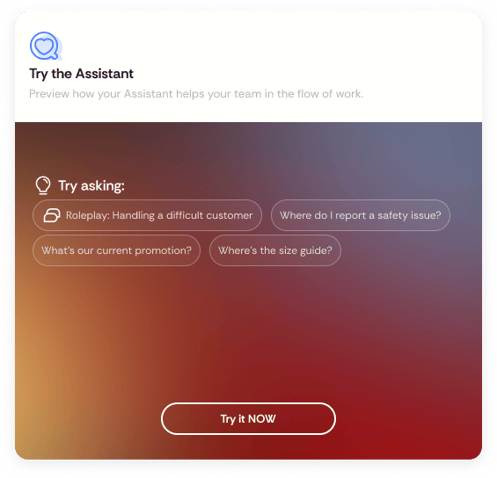
With AI Assistant Profiles, AI is aligned to specific groups of employees. Each assistant is linked to one user group and to knowledge that’s relevant for that group. Store employees receive answers based on shop-floor content. Team leaders work with different information. Differences by country or language are easy to manage.
The AI assistant is only visible to the employees it’s designed for. No noise. No doubt about what applies and what doesn’t.
What this means for employees and L&D
For employees, the difference is immediate. They ask the same questions, but receive answers that fit their work and responsibilities. That saves time, reduces uncertainty and builds trust in learning with AI.
For L&D, it brings control. You decide who has access to which knowledge, without complex rules or technical set-ups. The learning environment stays clear and structured, while AI actually adds value on the job.
Simple to set up, without complex logic
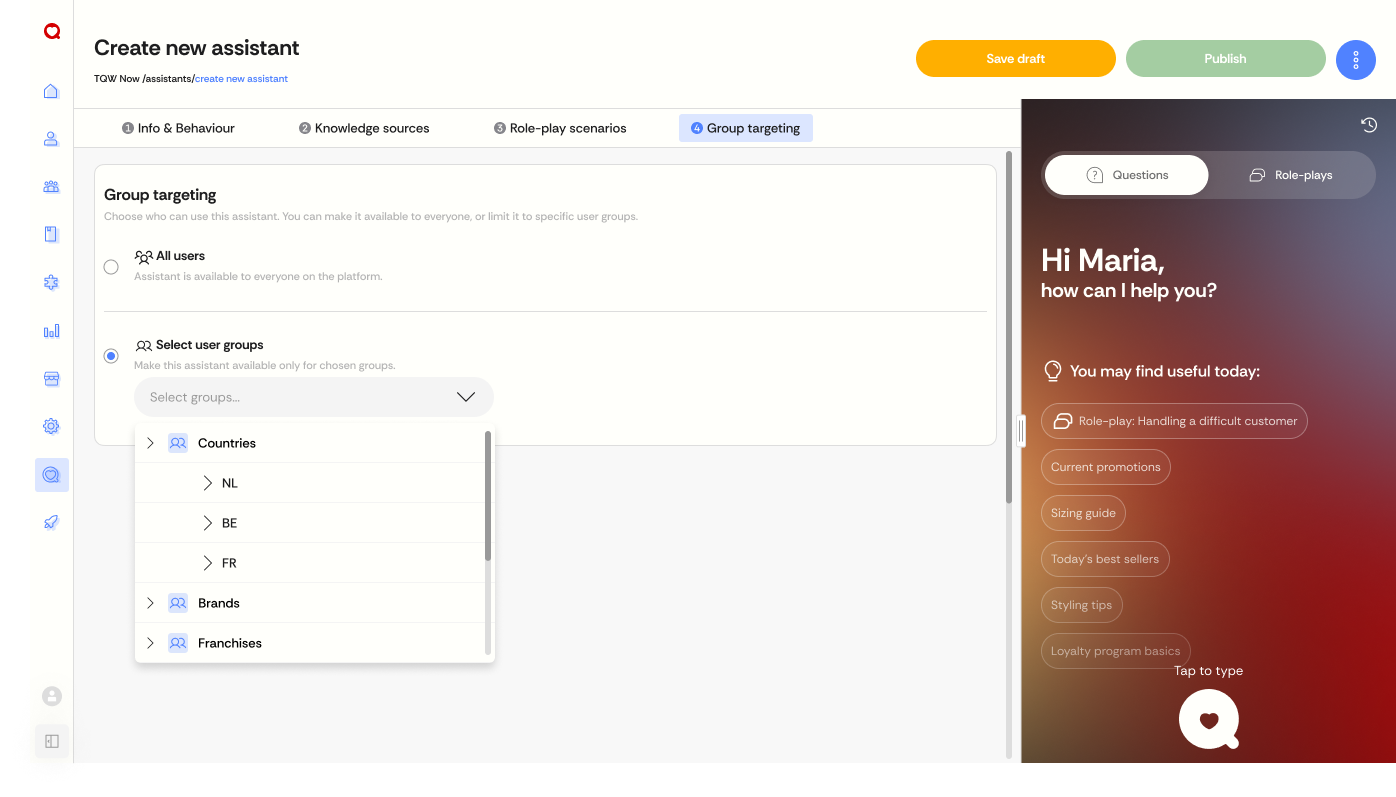
AI assistants only work when they’re clearly configured. No free-text rules. No complicated logic. No half-finished assistants going live.
An AI assistant becomes active only when:
- a user group is selected
- the right knowledge sources are connected
If the NOW feature is enabled in the learning environment, a default assistant is automatically created for all users with all available content. Everyone can get started straight away. If no AI assistant is available for a specific group, it simply isn’t visible. Clear and consistent.
AI in the Retail Academy only works when it fits the job
AI doesn’t improve by adding more information. It improves by using the right information. By aligning AI assistants to role, experience, location and language, learning on the job becomes more practical and more reliable. No generic answers, but support that fits the work someone needs to do today. That’s when AI truly supports performance.
Empower your people, amaze your customers. Powered by AI.
💡 Curious how an AI assistant can become relevant in your learning environment as well? Let’s talk and explore what works best for your people.

